This week we learned of a recent alien hacking into Earth. We have a suspect but unsure about the true source. Could be The Borg, could be Klingons, could be Cardassians. One thing is certain: we need better security and flexibility for our space missions.
We’ll start with the first line of defense: science based education. The better we are educated, the better we are equipped to make decisions, to understand the universe, to vote.
One of the greatest space exploration frontiers is the Hubble Space Telescope. The next 5 minutes we will work on configuring and bringing the telescope online keeping things secure and flexible in a process.
The Master Plan
In order to keep things simple and solid we are going to use these tools:
- Vault is a tool for managing secrets.
- Consul besides being a chief magistrates of the Roman Republic* is now also a service discovery and distributed configuration tool.
- Hazelcast is a simple, powerful and pleasure to work with an in memory data grid.
Here is the master plan to bring Hubble online:
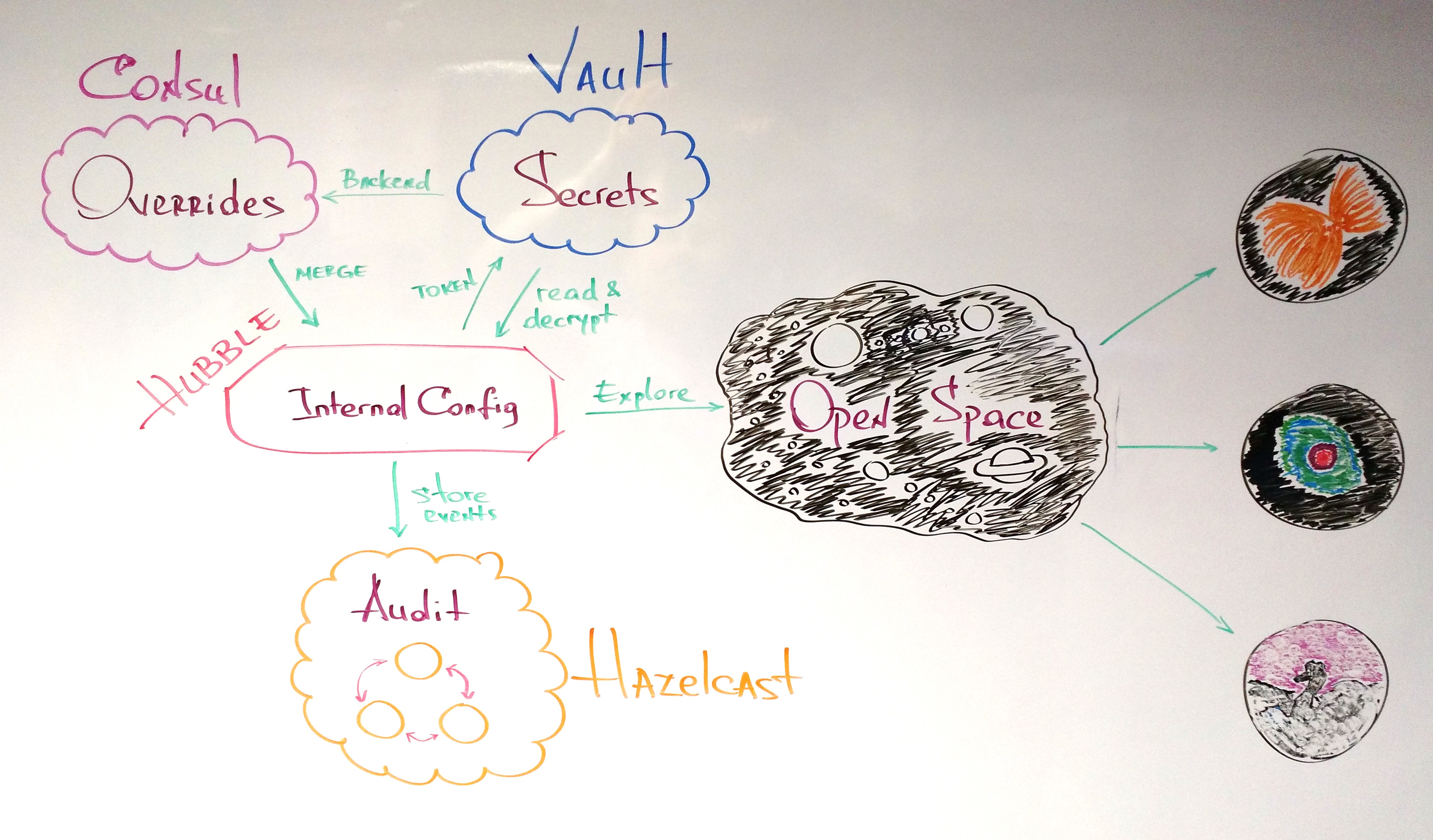
Hubble has its own internal configuration file which is not environment specific:
{:hubble {:server {:port 4242}
          :store {:url "spacecraft://tape"}
          :camera {:mode "mono"}
          :mission {:target "Eagle Nebula"}

          :log {:name "hubble-log"
                :hazelcast {:hosts "OVERRIDE ME"
                            :group-name "OVERRIDE ME"
                            :group-password "OVERRIDE ME"
                            :retry-ms 5000
:retry-max 720000}}}} |
{:hubble {:server {:port 4242}
:store {:url "spacecraft://tape"}
:camera {:mode "mono"}
:mission {:target "Eagle Nebula"}
:log {:name "hubble-log"
:hazelcast {:hosts "OVERRIDE ME"
:group-name "OVERRIDE ME"
:group-password "OVERRIDE ME"
:retry-ms 5000
:retry-max 720000}}}}
As you can see the initial, default mission is the “Eagle Nebula”, Hubble’s state is stored on tape, it uses a mono (vs. color) camera and has in internal server that runs on port 4242.
Another thing to notice, Hubble stores an audit/event log in a Hazelcast cluster. This cluster needs environment specific location and creds. While the location may or may not be encrypted, the creds should definitely be.
All the above of course can be, and some of them will be, overridden at startup. We are going to keep the overrides in Consul, and the creds in Vault. On Hubble startup the Consul overrides will be merged with the Hubble internal config, and the creds will be unencrypted and security read from Vault and used to connect to the Hazelcast cluster.
Environment Matters
Before configuring Hubble, let’s create and initialize the environment. As I mentioned before we would need to setup Consul, Vault and Hazelcast.
Consul and Vault
Consul will play two roles in the setup:
- a “distributed configuration” service
- Vault’s secret backend
Both can be easily started with docker. We’ll use cault‘s help to setup both.
$ git clone https://github.com/tolitius/cault
$ cd cault

$ docker-compose up -d
Creating cault_consul_1
Creating cault_vault_1 |
$ git clone https://github.com/tolitius/cault
$ cd cault
$ docker-compose up -d
Creating cault_consul_1
Creating cault_vault_1
Cault runs both Consul and Vault’s official docker images, with Consul configured to be Vault’s backend. Almost done.
Once the Vault is started, it needs to be “unsealed”:
docker exec -it cault_vault_1 sh |
docker exec -it cault_vault_1 sh
$ vault init          ## will show 5 unseal keys and a root token
$ vault unseal        ## use 3 out 5 unseal keys
$ vault auth ## use a root token ## >>> (!) remember this token |
$ vault init ## will show 5 unseal keys and a root token
$ vault unseal ## use 3 out 5 unseal keys
$ vault auth ## use a root token ## >>> (!) remember this token
Not to duplicate it here, you can follow unsealing Vault step by step with visuals in cault docs.
We would also save Hubble secrets here within the docker image:
add {"group-name": "big-bank", "group-password": "super-s3cret!!!"} and save the file.
now write it into Vault:
$ vault write secret/hubble-audit value=@creds

Success! Data written to: secret/hubble-audit |
$ vault write secret/hubble-audit value=@creds
Success! Data written to: secret/hubble-audit
This way the actual group name and password won’t show up in the bash history.
Hazelcast Cluster in 1, 2, 3
The next part of the environment is a Hazelcast cluster where Hubble will be sending all of the events.
We’ll do it with chazel. I’ll use boot in this example, but you can use lein / gradle / pom.xml, anything that can bring [chazel "0.1.12"] from clojars.
Open a new terminal and:
$ boot repl
boot.user=> (set-env! :dependencies '[[chazel "0.1.12"]])
boot.user=> (require '[chazel.core :as hz])

;; creating a 3 node cluster
boot.user=> (hz/cluster-of 3 :conf (hz/with-creds {:group-name "big-bank"
                                                   :group-password "super-s3cret!!!"}))

Members [3] {
    Member [192.168.0.108]:5701 - f6c0f121-53e8-4be0-a958-e8d35571459d
    Member [192.168.0.108]:5702 - e773c493-efe8-4806-b568-d2af57947fc9
Member [192.168.0.108]:5703 - f9e0719d-aec7-405e-9aef-48baa56b11ec this} |
$ boot repl
boot.user=> (set-env! :dependencies '[[chazel "0.1.12"]])
boot.user=> (require '[chazel.core :as hz])
;; creating a 3 node cluster
boot.user=> (hz/cluster-of 3 :conf (hz/with-creds {:group-name "big-bank"
:group-password "super-s3cret!!!"}))
Members [3] {
Member [192.168.0.108]:5701 - f6c0f121-53e8-4be0-a958-e8d35571459d
Member [192.168.0.108]:5702 - e773c493-efe8-4806-b568-d2af57947fc9
Member [192.168.0.108]:5703 - f9e0719d-aec7-405e-9aef-48baa56b11ec this}
And we have a 3 node Hazelcast cluster up and running.
Note that Consul, Vault and Hazelcast cluster would already be running in the real world scenario before we get to write and deploy Hubble code.
Let there be Hubble!
The Hubble codebase lives on github, as it should :) So let’ clone it first:
$ git clone https://github.com/tolitius/hubble

$ cd hubble |
$ git clone https://github.com/tolitius/hubble
$ cd hubble
“Putting some data where Consul is”
We do have Consul up and running, but we have no overrides in it. We can either:
- manually add overrides for Hubble config or
- just initialize Consul with current Hubble config / default overrides
Hubble has init-consul boot task which will just copy a part of Hubble config to Consul, so we can override values later if we need to:
$ boot init-consul
read config from resource: "config.edn"
22:49:34.919 [clojure-agent-send-off-pool-0] INFO hubble.env - initializing Consul at http://localhost:8500/v1/kv |
$ boot init-consul
read config from resource: "config.edn"
22:49:34.919 [clojure-agent-send-off-pool-0] INFO hubble.env - initializing Consul at http://localhost:8500/v1/kv
Let’s revisit Hubble config and figure out what needs to be overridden:
{:hubble {:server {:port 4242}
          :store {:url "spacecraft://tape"}
          :camera {:mode "mono"}
          :mission {:target "Eagle Nebula"}

          :log {:enabled false                              ;; can be overridden at startup / runtime / consul, etc.
                :auth-token "OVERRIDE ME"
                :name "hubble-log"
                :hazelcast {:hosts "OVERRIDE ME"
                            :group-name "OVERRIDE ME"
                            :group-password "OVERRIDE ME"
                            :retry-ms 5000
                            :retry-max 720000}}

:vault {:url "OVERRIDE ME"}}} |
{:hubble {:server {:port 4242}
:store {:url "spacecraft://tape"}
:camera {:mode "mono"}
:mission {:target "Eagle Nebula"}
:log {:enabled false ;; can be overridden at startup / runtime / consul, etc.
:auth-token "OVERRIDE ME"
:name "hubble-log"
:hazelcast {:hosts "OVERRIDE ME"
:group-name "OVERRIDE ME"
:group-password "OVERRIDE ME"
:retry-ms 5000
:retry-max 720000}}
:vault {:url "OVERRIDE ME"}}}
The only obvious thing to override is hubble/log/hazelcast/hosts since creds need to be later overridden securely at runtime, as well as the hubble/log/auth-token. In fact if you look into Consul, you would see neither creds nor the auth token.
The less obvious thing to override is the hubble/vault/url. We need this, so Hubble knows where Vault lives once it needs to read and decrypt creds at runtime.
We will also override hubble/log/enabled to enable Hubble event logging.
So let’ override these in Consul:
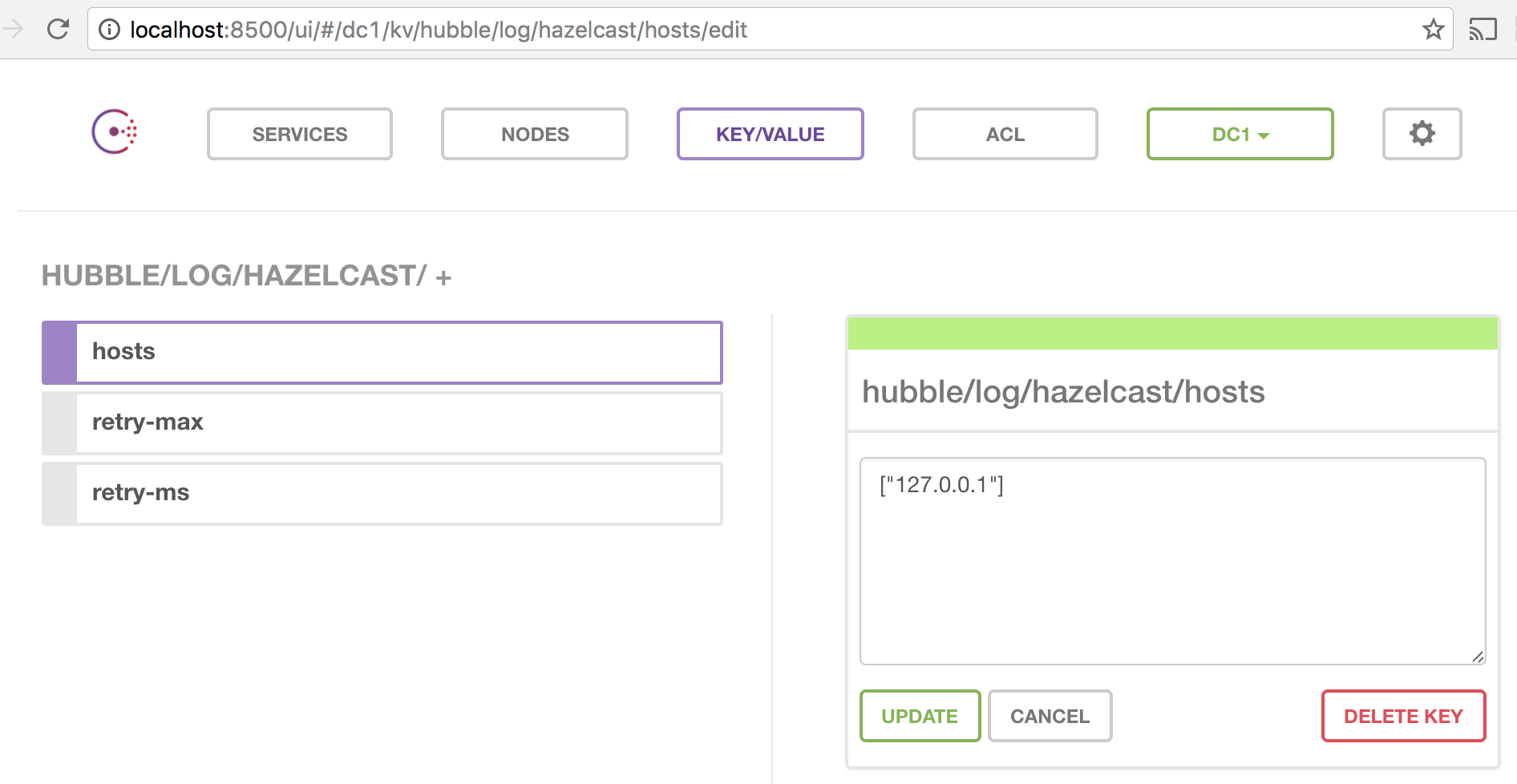
hubble/log/hazelcast/hosts to ["127.0.0.1"]hubble/vault/url to http://127.0.0.1:8200hubble/log/enabled to true
We can either go to the Consul UI to override these one by one, but it is easier to do it programmatically in one shot.
Envoy Extraordinary and Minister Plenipotentiary
Hubble relies on envoy to communicate with Consul, so writing a value or a map with all overrides can be done in a single go:
(from under /path/to/hubble)
$ boot dev
boot.user=> (require '[envoy.core :as envoy])
nil
boot.user=> (def overrides {:hubble {:log {:enabled true
                                           :hazelcast {:hosts ["127.0.0.1"]}}

                                     :vault {:url "http://127.0.0.1:8200"}}})
#'boot.user/overrides
boot.user=> (envoy/map->consul "http://localhost:8500/v1/kv" overrides) |
$ boot dev
boot.user=> (require '[envoy.core :as envoy])
nil
boot.user=> (def overrides {:hubble {:log {:enabled true
:hazelcast {:hosts ["127.0.0.1"]}}
:vault {:url "http://127.0.0.1:8200"}}})
#'boot.user/overrides
boot.user=> (envoy/map->consul "http://localhost:8500/v1/kv" overrides)
We can spot check these in Consul UI:
Consul is all ready. And we are ready to bring Hubble online.
Secrets are best kept by people who don’t know them
Two more things to solve the puzzle are Hazelcast creds and the auth token. We know that creds are encrypted and live in Vault. In order to securely read them out we would need a token to access them. But we also do not want to expose the token to these creds, so we would ask Vault to place the creds in one of the Vault’s cubbyholes for, say 120 ms, and generate a temporary, one time use, token to access this cubbyhole. This way, once the Hubble app gets creds at runtime, this auth token did its job and can no longer be used.
In Vault lingo this is called “Response Wrapping“.
cault, the one you cloned at the very beginning, has a script to generate this token. And supporting documentation on response wrapping.
We saved Hubble Hazelcast creds under secret/hubble-audit, so let’s generate this temp token for it. We need to remember the Vault’s root token from the “Vault init” step in order for cault script to work:
(from under /path/to/cault)
$ export VAULT_ADDR=http://127.0.0.1:8200
$ export VAULT_TOKEN=797e09b4-aada-c3e9-7fe8-4b7f6d67b4aa

$ ./tools/vault/cubbyhole-wrap-token.sh /secret/hubble-audit
eda33881-5f34-cc34-806d-3e7da3906230 |
$ export VAULT_ADDR=http://127.0.0.1:8200
$ export VAULT_TOKEN=797e09b4-aada-c3e9-7fe8-4b7f6d67b4aa
$ ./tools/vault/cubbyhole-wrap-token.sh /secret/hubble-audit
eda33881-5f34-cc34-806d-3e7da3906230
eda33881-5f34-cc34-806d-3e7da3906230 is the token we need, and, by default, it is going to be good for 120 ms. In order to pass it along to Hubble start, we’ll rely on cprop to merge an ENV var (could be a system property, etc.) with existing Hubble config.
In the Hubble config the token lives here:
{:hubble {:log {:auth-token "OVERRIDE ME"}}} |
{:hubble {:log {:auth-token "OVERRIDE ME"}}}
So to override it we can simply export an ENV var before running the Hubble app:
(from under /path/to/hubble)
$ export HUBBLE__LOG__AUTH_TOKEN=eda33881-5f34-cc34-806d-3e7da3906230 |
$ export HUBBLE__LOG__AUTH_TOKEN=eda33881-5f34-cc34-806d-3e7da3906230
Now we 100% ready. Let’s roll:
(from under /path/to/hubble)
$ boot up
INFO  mount-up.core - >> starting.. #'hubble.env/config
read config from resource: "config.edn"
INFO  mount-up.core - >> starting.. #'hubble.core/camera
INFO  mount-up.core - >> starting.. #'hubble.core/store
INFO  mount-up.core - >> starting.. #'hubble.core/mission
INFO  mount-up.core - >> starting.. #'hubble.watch/consul-watcher
INFO  hubble.watch - watching on http://localhost:8500/v1/kv/hubble
INFO  mount-up.core - >> starting.. #'hubble.server/http-server
INFO  mount-up.core - >> starting.. #'hubble.core/mission-log
INFO  vault.client - Read cubbyhole/response (valid for 0 seconds)
INFO  chazel.core - connecting to:  {:hosts [127.0.0.1], :group-name ********, :group-password ********, :retry-ms 5000, :retry-max 720000}
Jan 09, 2017 11:54:40 PM com.hazelcast.core.LifecycleService
INFO: hz.client_0 [big-bank] [3.7.4] HazelcastClient 3.7.4 (20161209 - 3df1bb5) is STARTING
Jan 09, 2017 11:54:40 PM com.hazelcast.core.LifecycleService
INFO: hz.client_0 [big-bank] [3.7.4] HazelcastClient 3.7.4 (20161209 - 3df1bb5) is STARTED
Jan 09, 2017 11:54:40 PM com.hazelcast.client.connection.ClientConnectionManager
INFO: hz.client_0 [big-bank] [3.7.4] Authenticated with server [192.168.0.108]:5703, server version:3.7.4 Local address: /127.0.0.1:52261
Jan 09, 2017 11:54:40 PM com.hazelcast.client.spi.impl.ClientMembershipListener
INFO: hz.client_0 [big-bank] [3.7.4]

Members [3] {
    Member [192.168.0.108]:5701 - f6c0f121-53e8-4be0-a958-e8d35571459d
    Member [192.168.0.108]:5702 - e773c493-efe8-4806-b568-d2af57947fc9
    Member [192.168.0.108]:5703 - f9e0719d-aec7-405e-9aef-48baa56b11ec
}

Jan 09, 2017 11:54:40 PM com.hazelcast.core.LifecycleService
INFO: hz.client_0 [big-bank] [3.7.4] HazelcastClient 3.7.4 (20161209 - 3df1bb5) is CLIENT_CONNECTED
Starting reload server on ws://localhost:52265
Writing adzerk/boot_reload/init17597.cljs to connect to ws://localhost:52265...

Starting file watcher (CTRL-C to quit)...

Adding :require adzerk.boot-reload.init17597 to app.cljs.edn...
Compiling ClojureScript...
• js/app.js
Elapsed time: 8.926 sec |
$ boot up
INFO mount-up.core - >> starting.. #'hubble.env/config
read config from resource: "config.edn"
INFO mount-up.core - >> starting.. #'hubble.core/camera
INFO mount-up.core - >> starting.. #'hubble.core/store
INFO mount-up.core - >> starting.. #'hubble.core/mission
INFO mount-up.core - >> starting.. #'hubble.watch/consul-watcher
INFO hubble.watch - watching on http://localhost:8500/v1/kv/hubble
INFO mount-up.core - >> starting.. #'hubble.server/http-server
INFO mount-up.core - >> starting.. #'hubble.core/mission-log
INFO vault.client - Read cubbyhole/response (valid for 0 seconds)
INFO chazel.core - connecting to: {:hosts [127.0.0.1], :group-name ********, :group-password ********, :retry-ms 5000, :retry-max 720000}
Jan 09, 2017 11:54:40 PM com.hazelcast.core.LifecycleService
INFO: hz.client_0 [big-bank] [3.7.4] HazelcastClient 3.7.4 (20161209 - 3df1bb5) is STARTING
Jan 09, 2017 11:54:40 PM com.hazelcast.core.LifecycleService
INFO: hz.client_0 [big-bank] [3.7.4] HazelcastClient 3.7.4 (20161209 - 3df1bb5) is STARTED
Jan 09, 2017 11:54:40 PM com.hazelcast.client.connection.ClientConnectionManager
INFO: hz.client_0 [big-bank] [3.7.4] Authenticated with server [192.168.0.108]:5703, server version:3.7.4 Local address: /127.0.0.1:52261
Jan 09, 2017 11:54:40 PM com.hazelcast.client.spi.impl.ClientMembershipListener
INFO: hz.client_0 [big-bank] [3.7.4]
Members [3] {
Member [192.168.0.108]:5701 - f6c0f121-53e8-4be0-a958-e8d35571459d
Member [192.168.0.108]:5702 - e773c493-efe8-4806-b568-d2af57947fc9
Member [192.168.0.108]:5703 - f9e0719d-aec7-405e-9aef-48baa56b11ec
}
Jan 09, 2017 11:54:40 PM com.hazelcast.core.LifecycleService
INFO: hz.client_0 [big-bank] [3.7.4] HazelcastClient 3.7.4 (20161209 - 3df1bb5) is CLIENT_CONNECTED
Starting reload server on ws://localhost:52265
Writing adzerk/boot_reload/init17597.cljs to connect to ws://localhost:52265...
Starting file watcher (CTRL-C to quit)...
Adding :require adzerk.boot-reload.init17597 to app.cljs.edn...
Compiling ClojureScript...
• js/app.js
Elapsed time: 8.926 sec
Exploring Universe with Hubble
… All systems are check … All systems are online
Let’s go to http://localhost:4242/ where Hubble’s server is listening to:
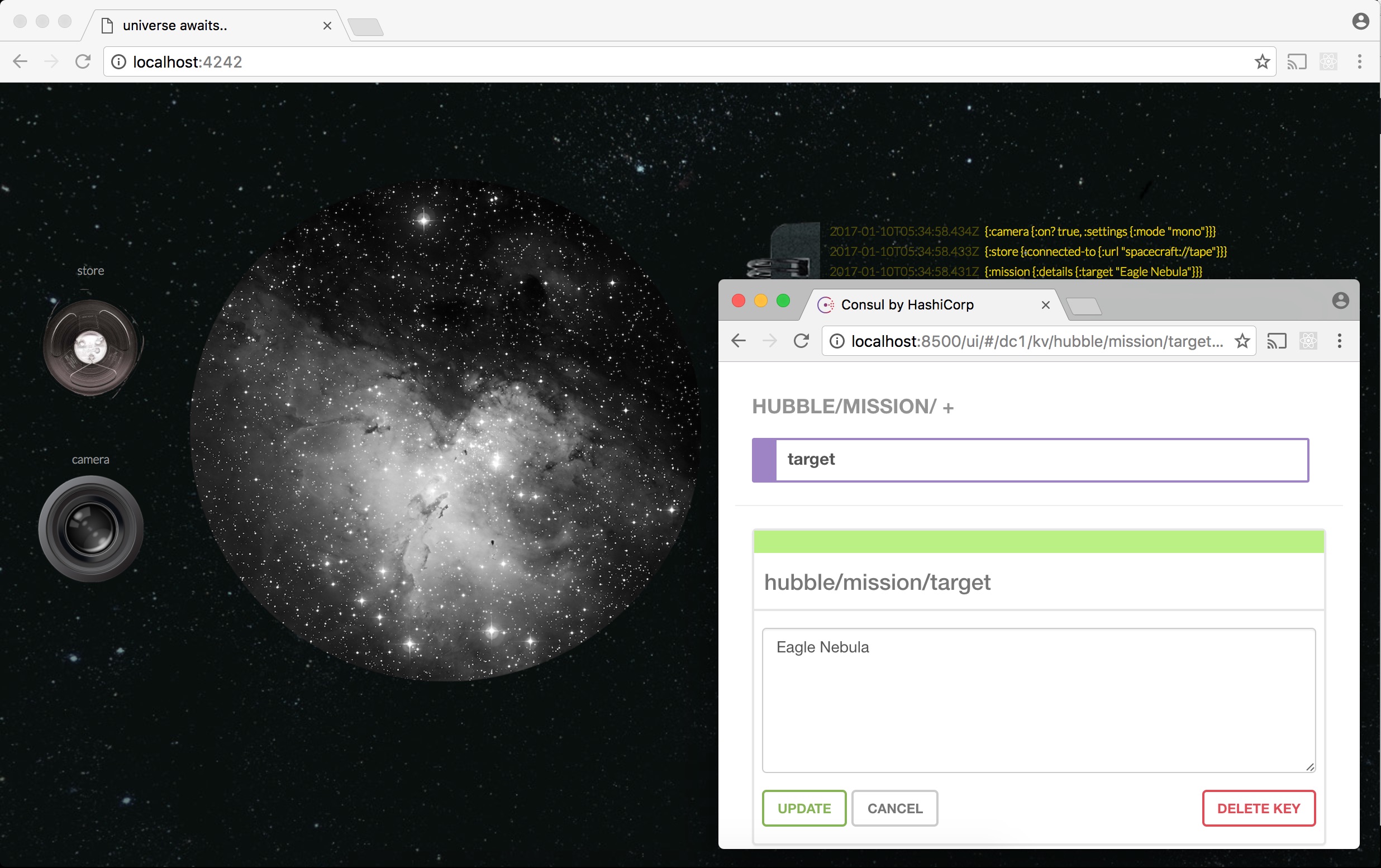
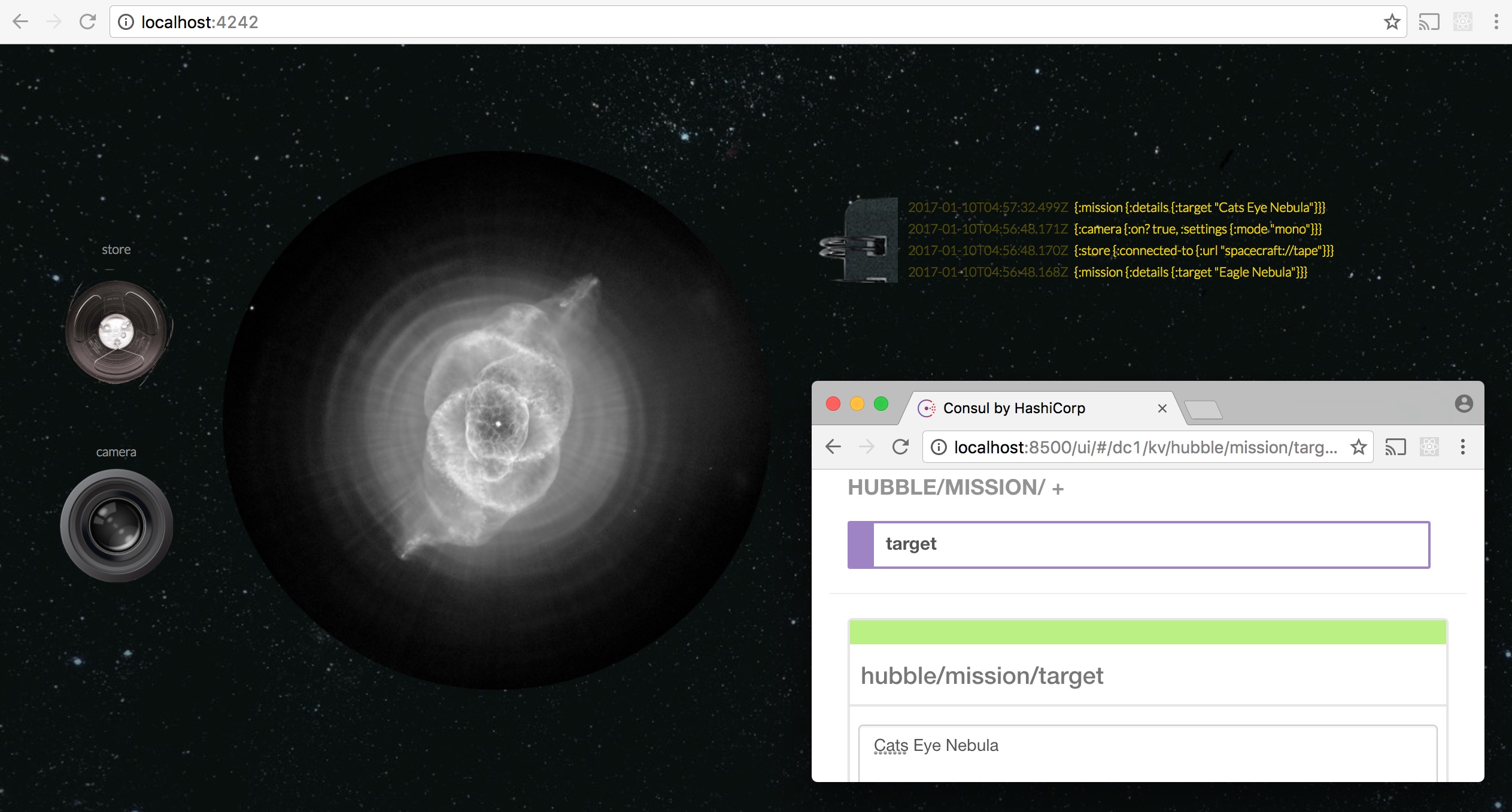
Let’s repoint Hubble to the Cat’s Eye Nebula by changing a hubble/mission/target to “Cats Eye Nebula”:
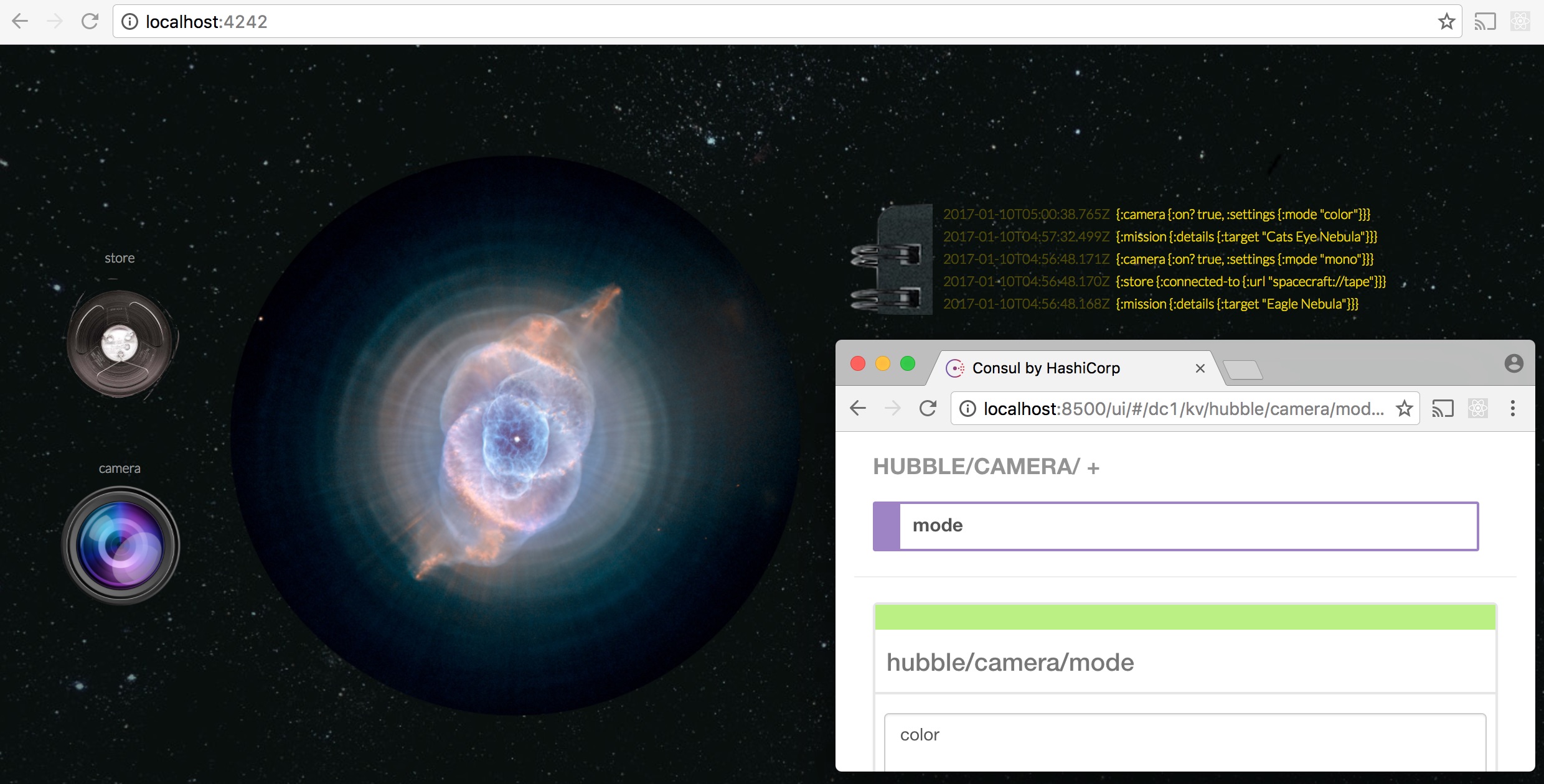
Also let’s upgrade Hubble’s camera from a monochrome one to the one that captures color by changing hubble/camera/mode to “color”:
Check the event log
Captain wanted the full report of events from the Hubble log. Aye aye, captain:
(from under a boot repl with a chazel dep, as we discussed above)
;; (Hubble serializes its events with transit)
boot.user=> (require '[chazel.serializer :as ser])

boot.user=> (->> (for [[k v] (into {} (hz/hz-map "hubble-log"))]
                   [k (ser/transit-in v)])
                 (into {})
                 pprint)
{1484024251414
 {:name "#'hubble.core/mission",
  :state {:active true, :details {:target "Cats Eye Nebula"}},
  :action :up},
 1484024437754
 {:name "#'hubble.core/camera",
  :state {:on? true, :settings {:mode "color"}},
:action :up}} |
;; (Hubble serializes its events with transit)
boot.user=> (require '[chazel.serializer :as ser])
boot.user=> (->> (for [[k v] (into {} (hz/hz-map "hubble-log"))]
[k (ser/transit-in v)])
(into {})
pprint)
{1484024251414
{:name "#'hubble.core/mission",
:state {:active true, :details {:target "Cats Eye Nebula"}},
:action :up},
1484024437754
{:name "#'hubble.core/camera",
:state {:on? true, :settings {:mode "color"}},
:action :up}}
This is the event log persisted in Hazelcast. In case Hubble goes offline, we still have both: its configuration reliably stored in Consul and all the events are stored in the Hazelcast cluster.
Looking Hazelcast cluster in the face
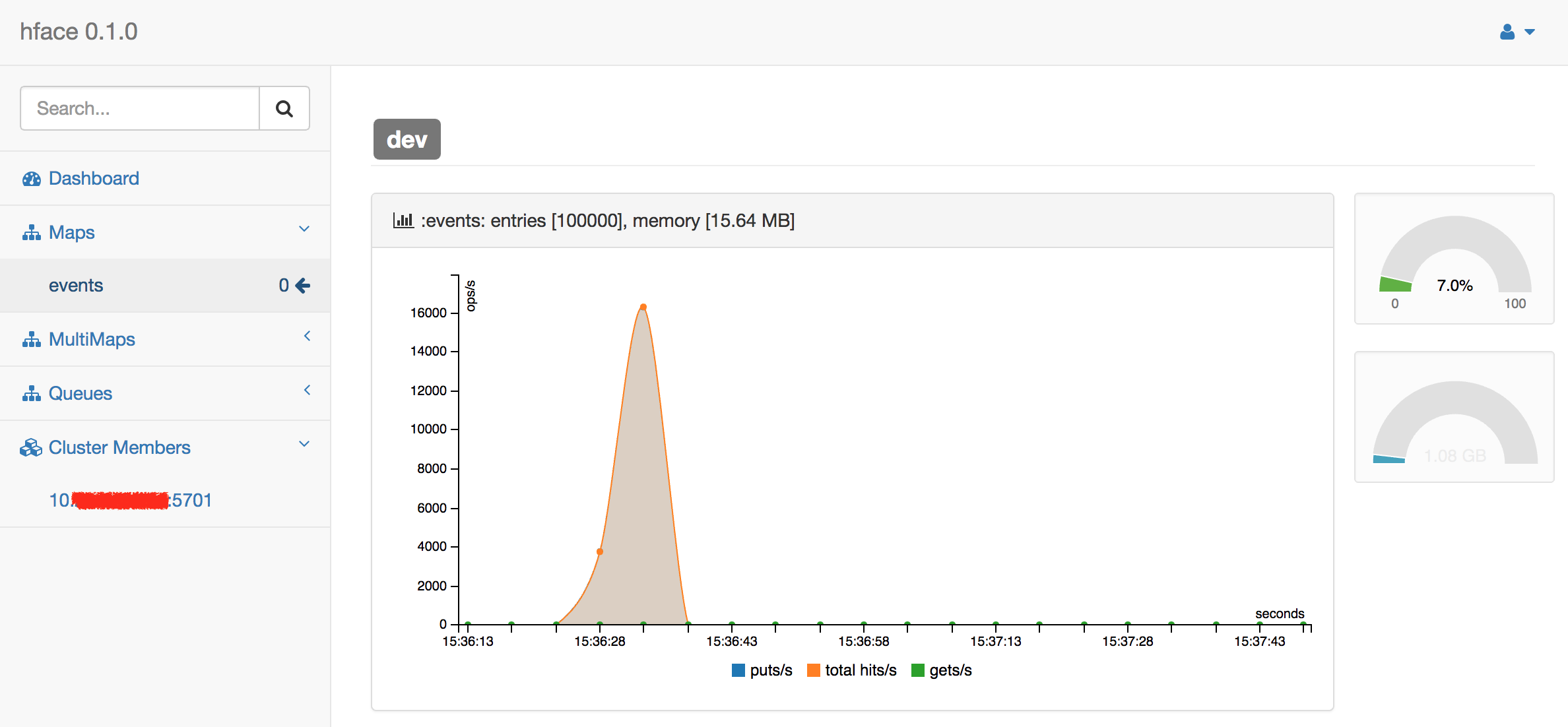
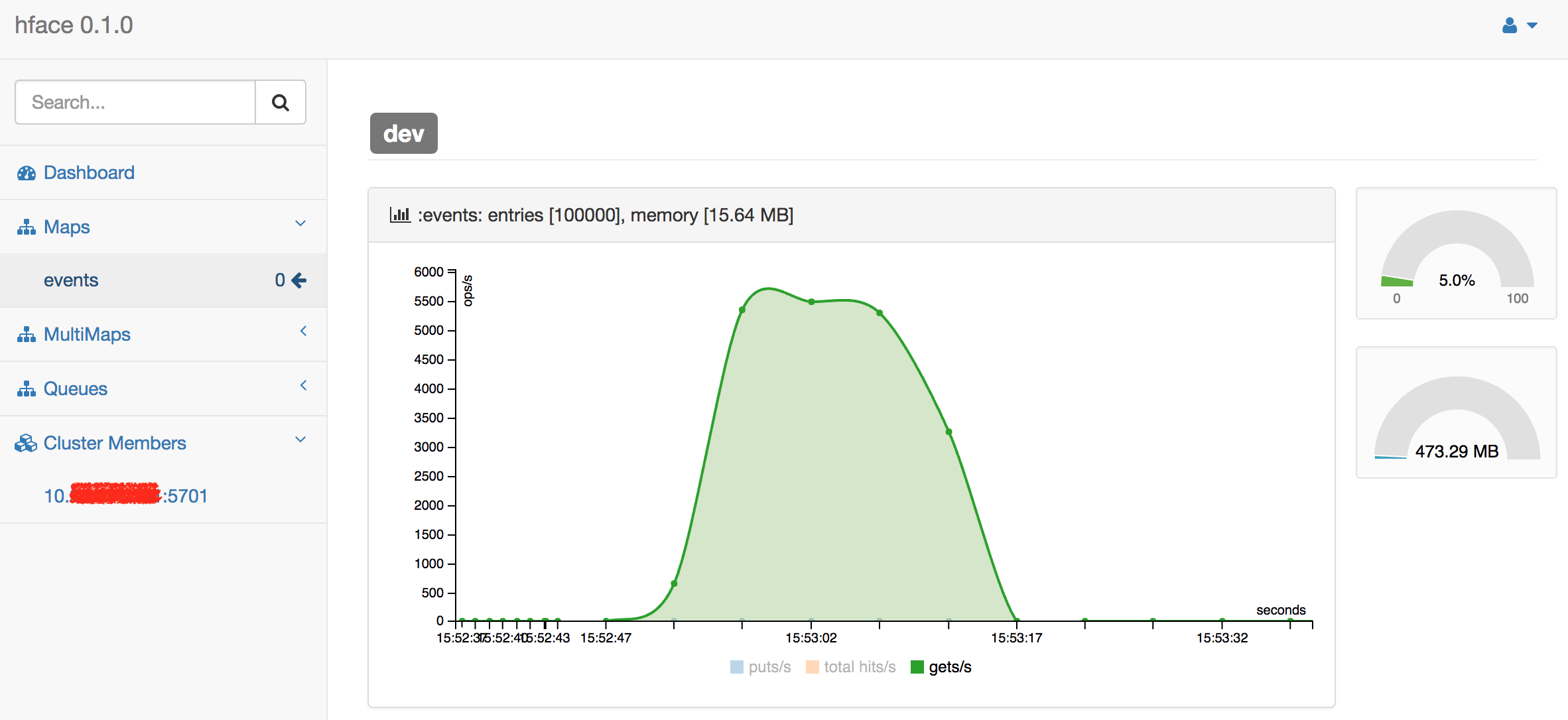
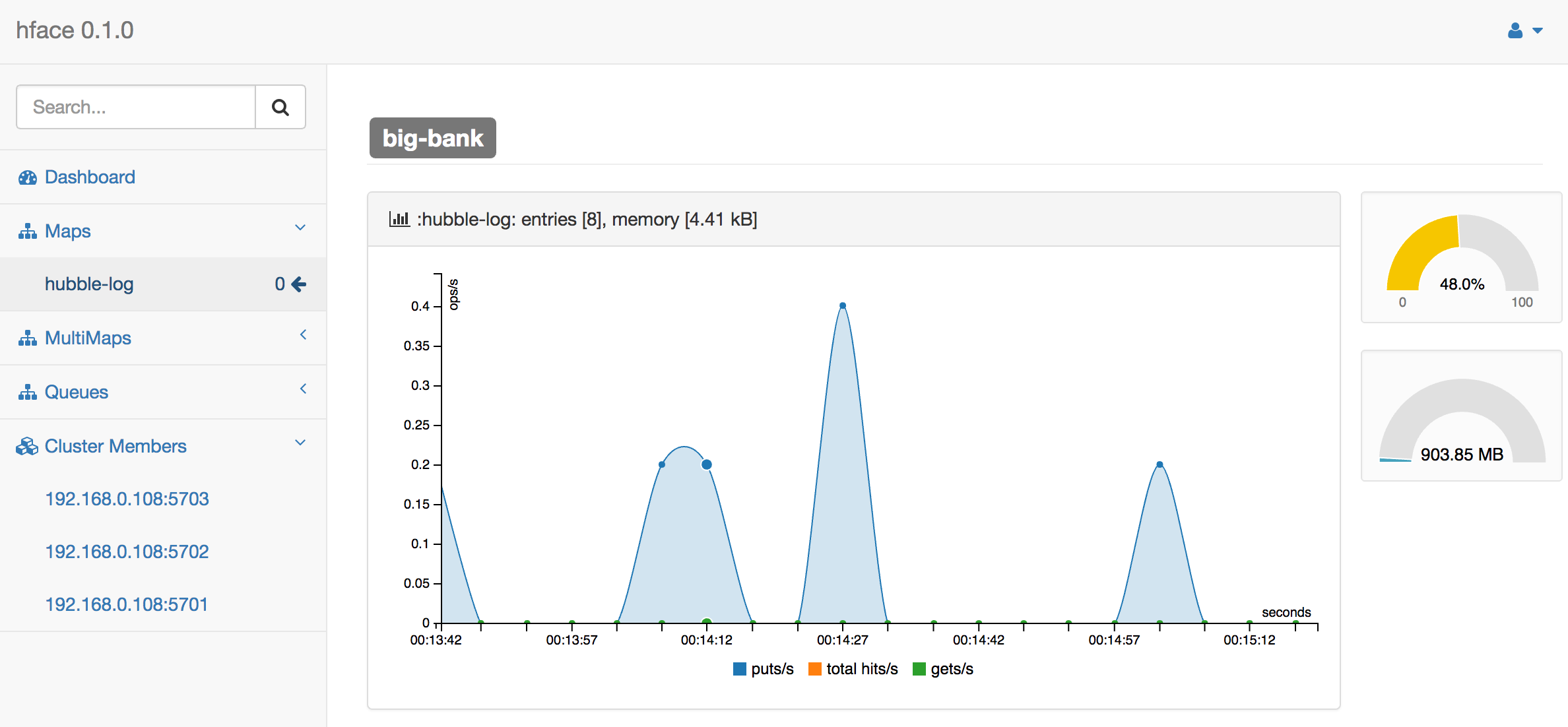
This is not necessary, but we can also monitor the state of Hubble event log with hface:
But.. how?
To peek a bit inside, here is how Consul overrides are merged with the Hubble config:
(defn create-config []
  (let [conf (load-config :merge [(from-system-props)
                                  (from-env)])]
    (->> (conf :consul)
         to-consul-path
(envoy/merge-with-consul conf)))) |
(defn create-config []
(let [conf (load-config :merge [(from-system-props)
(from-env)])]
(->> (conf :consul)
to-consul-path
(envoy/merge-with-consul conf))))
And here is how Hazelcast creds are read from Vault:
(defn with-creds [conf at token]
  (-> (vault/merge-config conf {:at at
                                :vhost [:hubble :vault :url]
                                :token token})
(get-in at))) |
(defn with-creds [conf at token]
(-> (vault/merge-config conf {:at at
:vhost [:hubble :vault :url]
:token token})
(get-in at)))
And these creds are only merged into a subset Hubble config that is used once to connect to the Hazelcast cluster:
(defstate mission-log :start (hz/client-instance (env/with-creds env/config
                                                                 [:hubble :log :hazelcast]
                                                                 [:hubble :log :auth-token]))
:stop (hz/shutdown-client mission-log)) |
(defstate mission-log :start (hz/client-instance (env/with-creds env/config
[:hubble :log :hazelcast]
[:hubble :log :auth-token]))
:stop (hz/shutdown-client mission-log))
In other words creds never get to env/config, they are only seen once at the cluster connection time, and only by Hazelcast client instance.
You can follow the hubble/env.clj to see how it all comes together.
While we attempt to be closer to a rocket science, it is in fact really simple to integrate Vault and Consul into a Clojure application.
The first step is made
We are operating Hubble and raising the human intelligence one nebula at a time.